Requests and clients
Inquiries from the website, Telegram and phone calls in one list: status, person responsible, history.
Service · CRM and admin panels
One system instead of spreadsheets, notebooks and messengers: requests, clients, staff, inventory, money and reports. I build it around your process, migrate your accumulated data and train the team. The code and the data are yours.
First call is free · we write the spec together · scope and price in writing

We work with businesses in five countries
What’s included
We build only the sections your process actually needs — and add new ones as you grow instead of rewriting from scratch.
Inquiries from the website, Telegram and phone calls in one list: status, person responsible, history.
Everyone sees only their own work, usually in a few taps. You see the full picture.
Stock levels, product movements, suppliers and orders — as in the systems for a furniture store and a fulfillment warehouse.
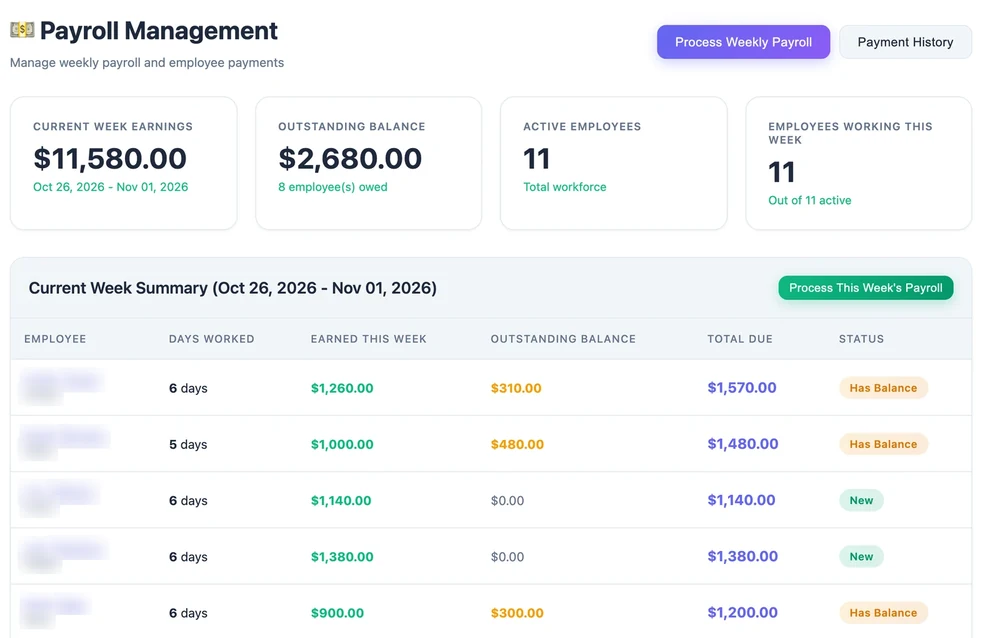
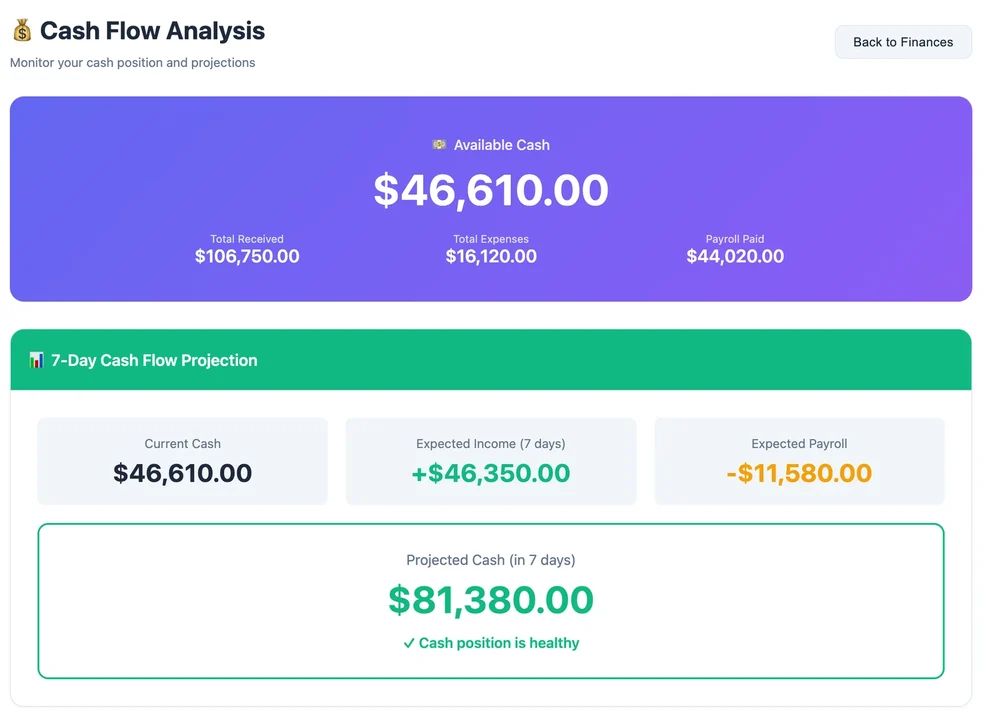
Payments and debts, cash register with shifts, payroll calculation and a cash forecast a week ahead.
Revenue, workload and overdue tasks on one screen from your phone — no compiling spreadsheets in the evening.
Online payments, fiscal receipts, a Telegram bot and data exchange with other services via API.
Before and after
Four businesses we built a CRM or ERP for. On the left — their own words and situations before launch.

The whole business in a 21-sheet Google spreadsheet, the numbers don’t add up
All history moved into a database, the numbers calculate themselves
Salaries paid out, but how much was earned is unclear
Payouts, debts and the cash forecast visible a week ahead
A half-million-dollar car fleet is managed in a notebook
Cars, rentals, investors and loans — in one ERP
Client delivery notes are retyped by hand
Delivery notes are imported from files, the client sees stock levels on their own
Free, 3 minutes. An estimate and what to change first
What I do
A client books or orders on the website — and the booking appears in your panel right away: with payment, the person in charge and a reminder. It’s one system, not two separate products.
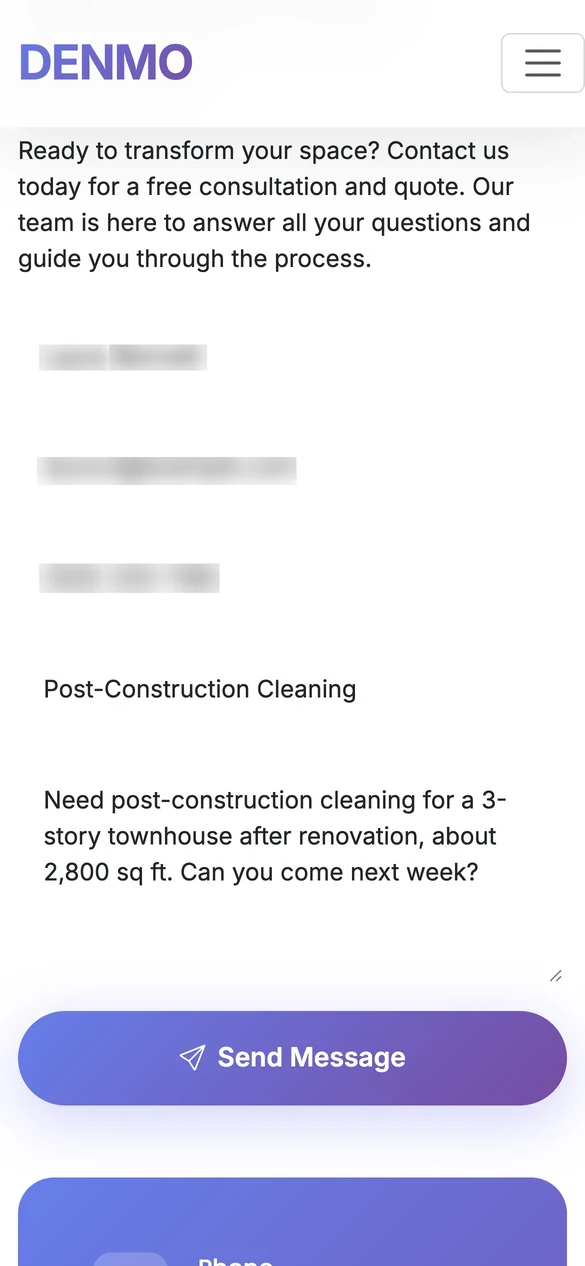
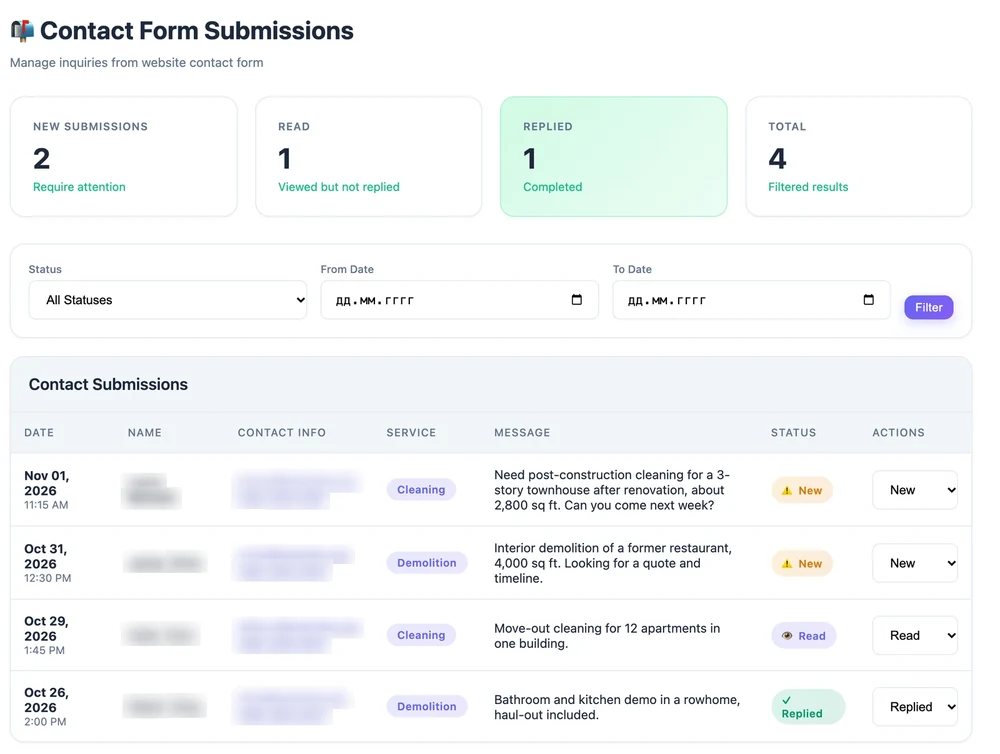
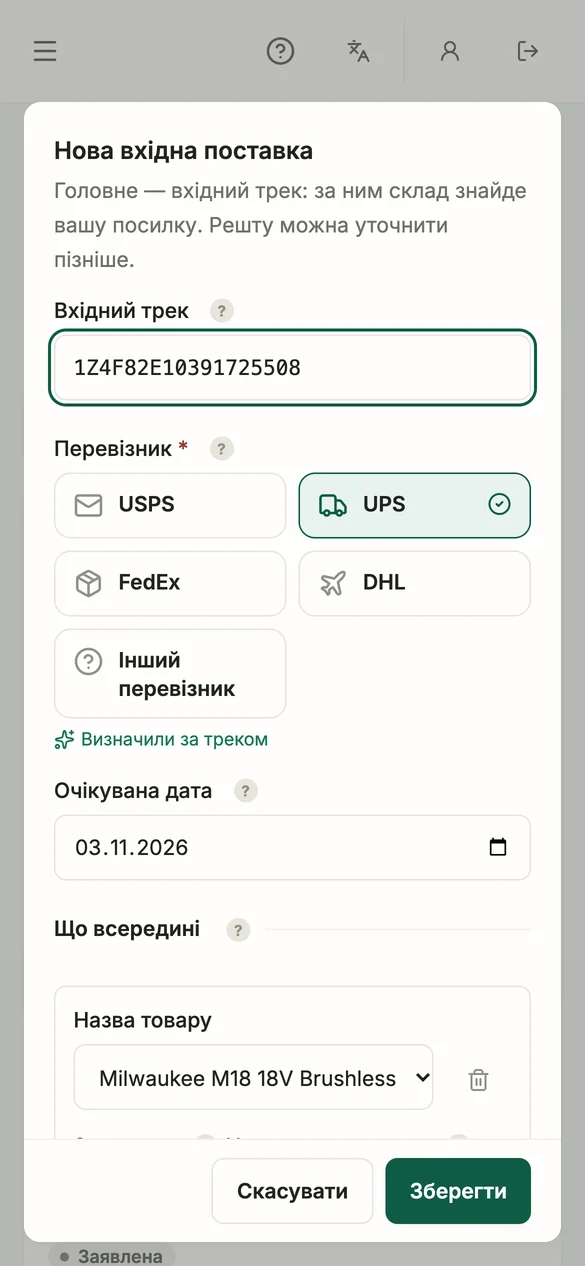
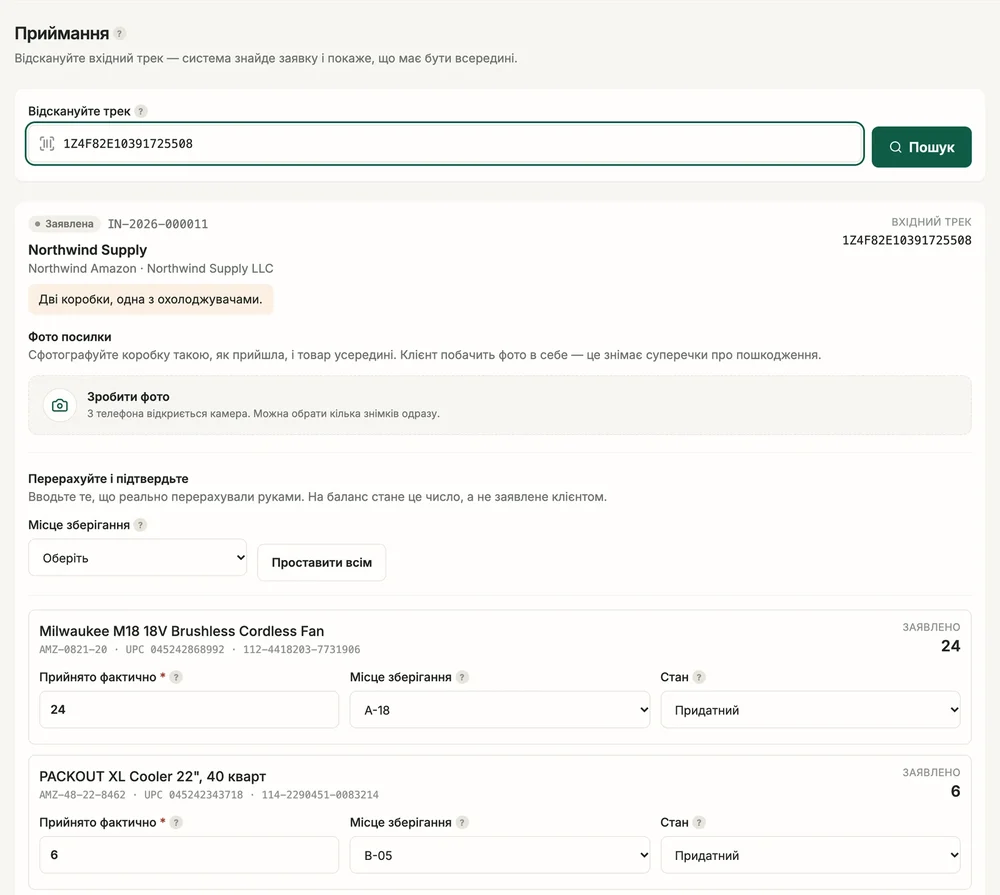
Real screens from DStudio projects, with demo data.
Your panel
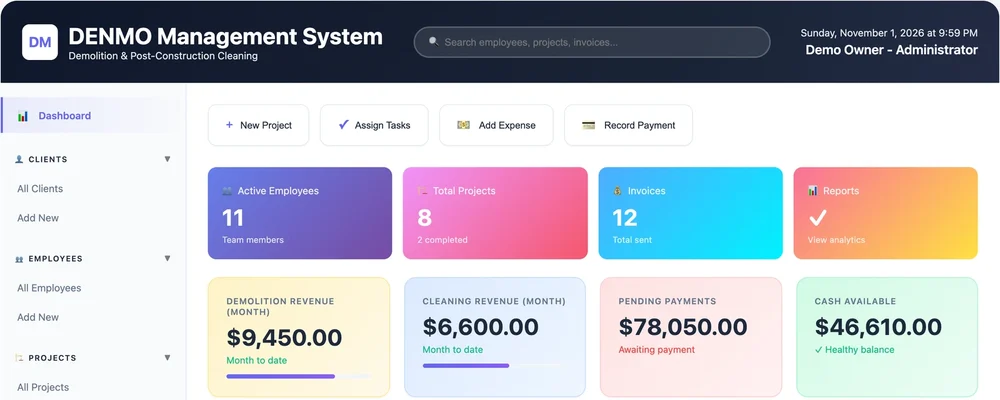
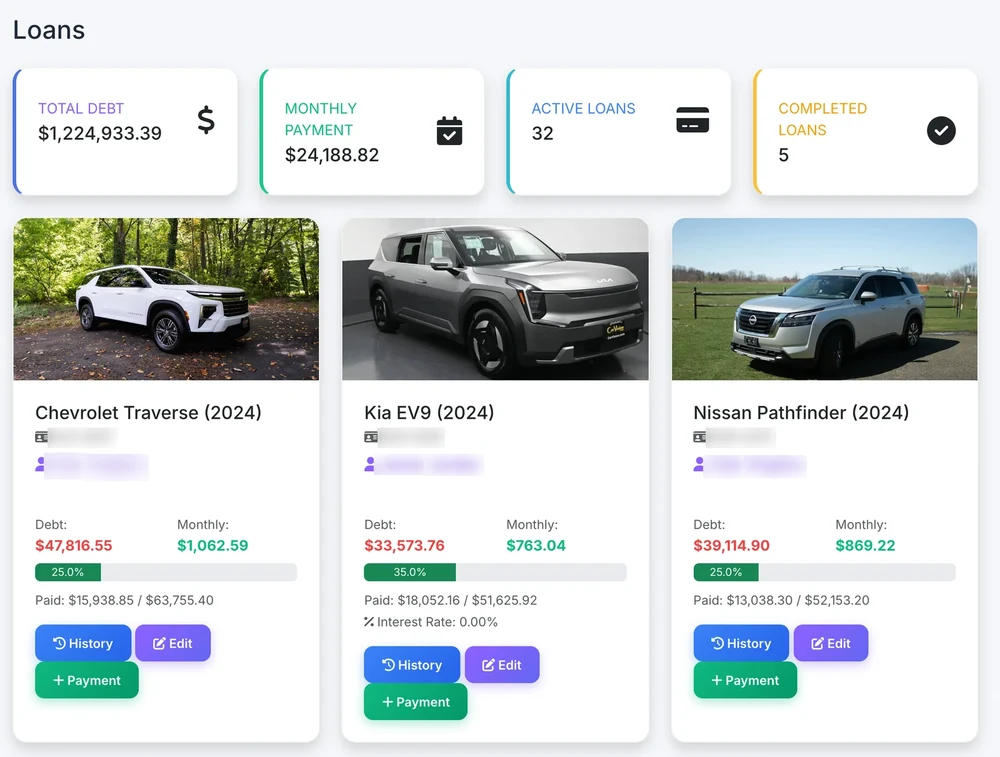
Working panels from my projects — with the processes these businesses actually run on. Client data in the screenshots is hidden.
Projects
Not renders, not concepts. Working systems that businesses in Ukraine, Poland, the USA and Lithuania use every day.
 Furniture retail
 · Ukraine
An ERP instead of a 21-sheet Google spreadsheet: orders, catalog, suppliers, money and analytics in one panel.
Project breakdown Demolition and cleaning
 · USA
The in-house system of a service company: sites, crews, daily payouts and a cash forecast a week ahead.
Project breakdown Car rental
 · Philadelphia, USA
Car rental with its own ERP: investors, loans, toll roads, GPS, contract signing online and payments.
Project breakdown Fulfillment warehouse
 · Delaware, USA
A warehouse for Amazon, eBay, Shopify and Etsy sellers: a site, a client dashboard and the warehouse back office.
Project breakdown Cinema
 · Ukraine, Krolevets
A site with listings and seat booking on the hall map — and in the same panel a cash desk with shifts, bar stock, payroll and reports.
Project breakdown Visa agency
 · Ukraine
A services site plus a CRM for visa cases: leads, documents, statuses and price calculators in Telegram.
Project breakdownHow I work
The most common praise from clients sounds like this: “you can work with him without a spec — he pulls the thoughts out of your head and structures them”. That is exactly where I start.
Take the diagnostic on the site: I will see your picture before our first conversation
I ask how your money, leads and people are set up and where time is lost every day. No jargon, no “so what is your stack”.
In writing: what is included, what won’t be there, what it costs and where the ceiling is. Before the work starts, not after.
First the part you can open and click through — so you see the system before it is fully paid for.
I hand it over in blocks so the team gets used to it gradually. “It has to really be three to five buttons” is a requirement, not a nice-to-have.
I move over what has piled up in spreadsheets and notebooks. I train the team. I’m still in touch.
Business changes — so does the system. We add modules as you grow instead of rewriting from scratch.
What people say
“Dima is the only programmer you can work with without a spec. He senses intuitively what I need. He is like artificial intelligence — he already knows you”
“I just stood at a traffic light for 30 seconds — and while I stood there I handed out five tasks”
“Someone has to take all the thinking out of my head and make it real. He keeps pulling the thoughts out of my head and tries to structure them”
“Fast, great and beautiful. Honestly impressive”
“They are enjoying this platform so much now. The tester says: this is just something where everything is convenient”
Prices
We show the ranges up front — so you know the ballpark before you’ve even written to us. The exact number comes after a talk about your processes.
Website + basic system
from $2 500
2–3 months
For a business that wants to start taking requests quickly and put its basic processes in order.
All processes in one system
from $8 000
4–6 months
For a business that already has a team, orders, stock and money that need to be brought together in one place.
A complex system for your team and clients
from $15 000
from 6 months
For companies with many users, complex logic, mobile apps or integrations.
You know what you’re paying for before development starts
Your system
The system is built around your processes. The code and data belong to you under the contract, and new features are added step by step — without switching to another platform.
Development is paid separately. Hosting, support and further improvements are on agreed terms. If a ready-made service would solve your task more cheaply, I’ll tell you so.
Next step
The first talk is free and doesn’t commit you to anything. We ask about processes, not about technology — and right there it becomes clear what can be automated first and what is better left alone.
Don't feel like writing? Take the diagnostic — the estimate and the review will reach me on their own
Questions
A system that brings your team, orders, inventory and money together in one place starts at $8 000 and takes 4–6 months. A simpler start — a website and an admin panel with basic sections — starts at $2 500 and takes 2–3 months. Complex systems with several dashboards and mobile apps start at $15 000. We fix the scope and the budget ceiling in writing before work begins.
If a ready-made service covers your process — take it, and we’ll say so. You need your own system when the process doesn’t fit a standard workflow, when the subscription grows with the team, or when the site, accounting and messenger have to be stitched into a single system.
We move it. In one project we migrated a Google spreadsheet of 21 sheets with 16 macros and a history of tens of thousands of rows. The import is always tested on the real client file before launch.
That is why the features are handed over in parts and the worker interface is kept as simple as possible: a person sees only what concerns their job, usually just a few buttons. The full picture is yours to see.
Yes, and that’s the main difference from an off-the-shelf CRM. A request from the website or the bot appears in the system right away with a person responsible and a reminder, and staff can receive tasks and submit reports in Telegram.
You do. The system is deployed on your server, the access is handed to you. After that you pay only for hosting — and for further work, if you need it.
Other services
The website, the management system and the Telegram bot run on one backend: a booking from the website or the bot shows up in the panel right away.
A website with online booking, payments and an admin panel where you change prices and texts yourself
Learn more
A bot or Mini App for bookings, payments, team reports and AI replies to clients
Learn moreAnswer 5 questions — I’ll suggest where to start in your particular business
Find my system